One place for your jobs, your team, and your money.
PestPaid follows the whole job, from the calendar to the paid invoice.
Clients and properties
Keep all your clients in one place. A home owner has one address. A business client can have many properties, each with its own access notes. Nothing is deleted by mistake. You archive a client instead.
Bring your clients with you
Move off your old tool in an afternoon. Import your client list from CSV or Excel. Keep your own invoice numbers. You do not have to start again at 1.
And take them out again
Your list is yours. Download all your clients as a CSV or an Excel file, any day you want, with the filters you are looking at. We do not hold your work to keep you.
Your service list
Write down the services you sell, each with a default price and a default duration. When you plan a job, the price and the time fill in for you.
Jobs on a calendar
Plan your week and see it at a glance, by month, week, day, or as a plain list. Each job is one client, one property, one service, and one technician. One service per job keeps the calendar honest: the block is the true length of the visit.
Assign, and the technician knows
Give a job to a technician, and he knows right away. He gets a bell in the app and an email. No more calls to tell him where to go.
A phone view for your technician
Your technician sees My jobs: today, then the next days. He opens a job and sees the address, the access notes, the service, and the client's phone. He marks it done when the work is finished. He sees only his own jobs, and never the price.
Your day, the moment you open it
PestPaid opens on today. How many jobs, how many are done, and how much money is still waiting. Late invoices come first, so no client is forgotten.
Nothing you finished goes unbilled
Your jobs list has one switch: Done, not invoiced. Press it and you see every job your team finished that nobody has billed yet. That is money already earned, waiting to be asked for.
Invoices in one click
Turn a done job into a clean invoice. We fill the first line from the job's service and your tax rate. Your own address, phone, and email print on it. Edit the lines, add extra lines by hand, and send.
Your client gets it, as a PDF
Press send and the invoice goes to your client by email, with the PDF attached. He does not need a login, and he does not need to open the file to read the amount. You can preview or download the same PDF yourself.
Get paid by bank transfer
Your bank details show on every invoice, in a clear bank-transfer block. The client pays straight into your bank. The money never passes through us, so there are no card fees. You keep 100%.
Record how the money came in
Paid is not enough. When you mark an invoice paid, you say how: bank transfer, cash, check, a card you took on your own terminal, or something else. At the end of the month you know what came in each way.
Your team and their roles
Invite your team by email. Pick a role: owner, admin, or technician. Owners and admins run the office. Technicians see only their own jobs. You are always in control of who can do what.
Every change is written down
Who changed the price, who removed a member, who edited your bank details, and when. It is all on one screen. And if your bank details ever change, the owner gets an email with the old value and the new one — even when he made the change himself.
See it for yourself
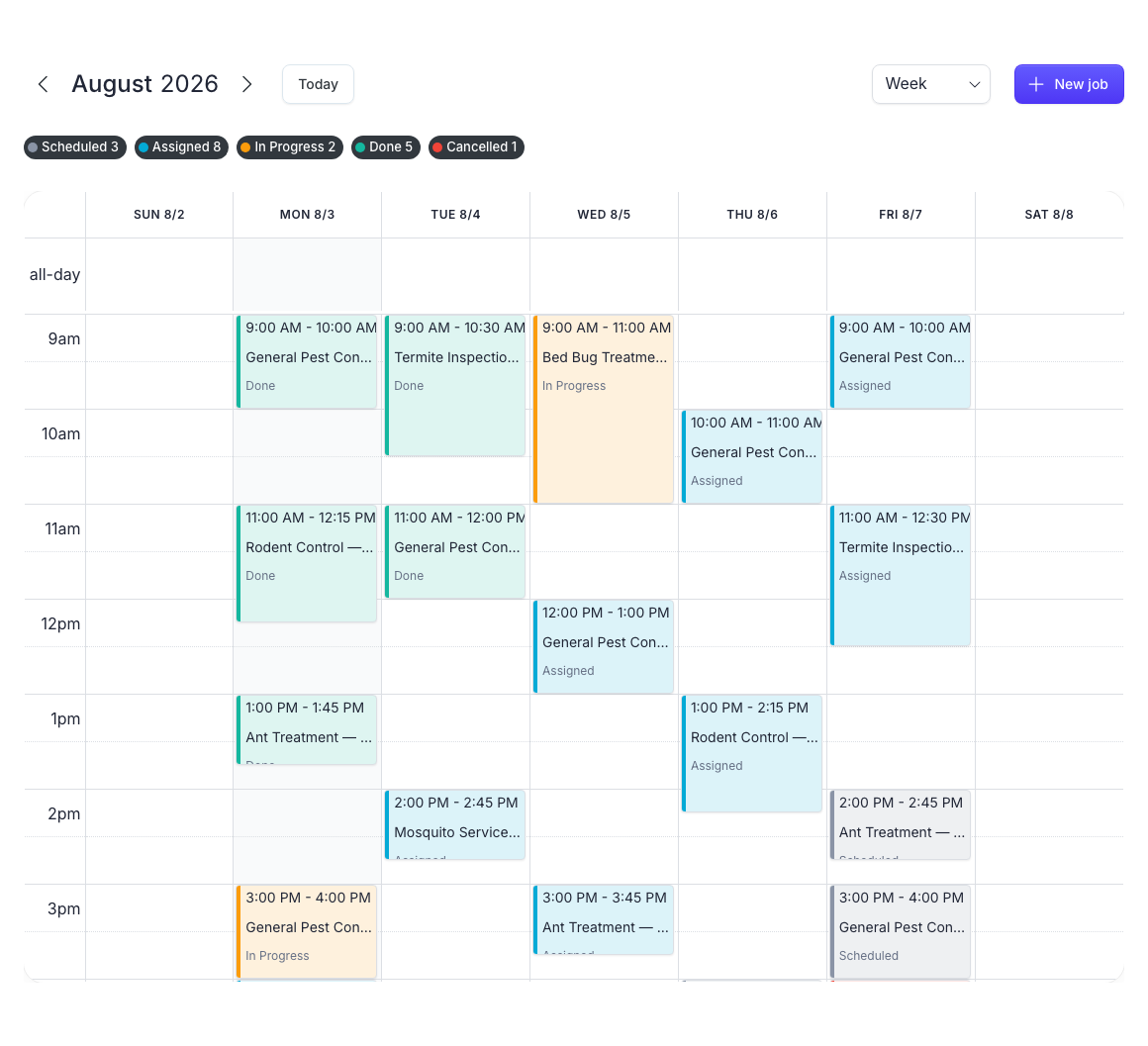
A week of jobs at a glance
Plan your week on the calendar. Give each job to the right technician, and see the whole team's day in one view. Every job carries its status, so you know what is done and what is not.
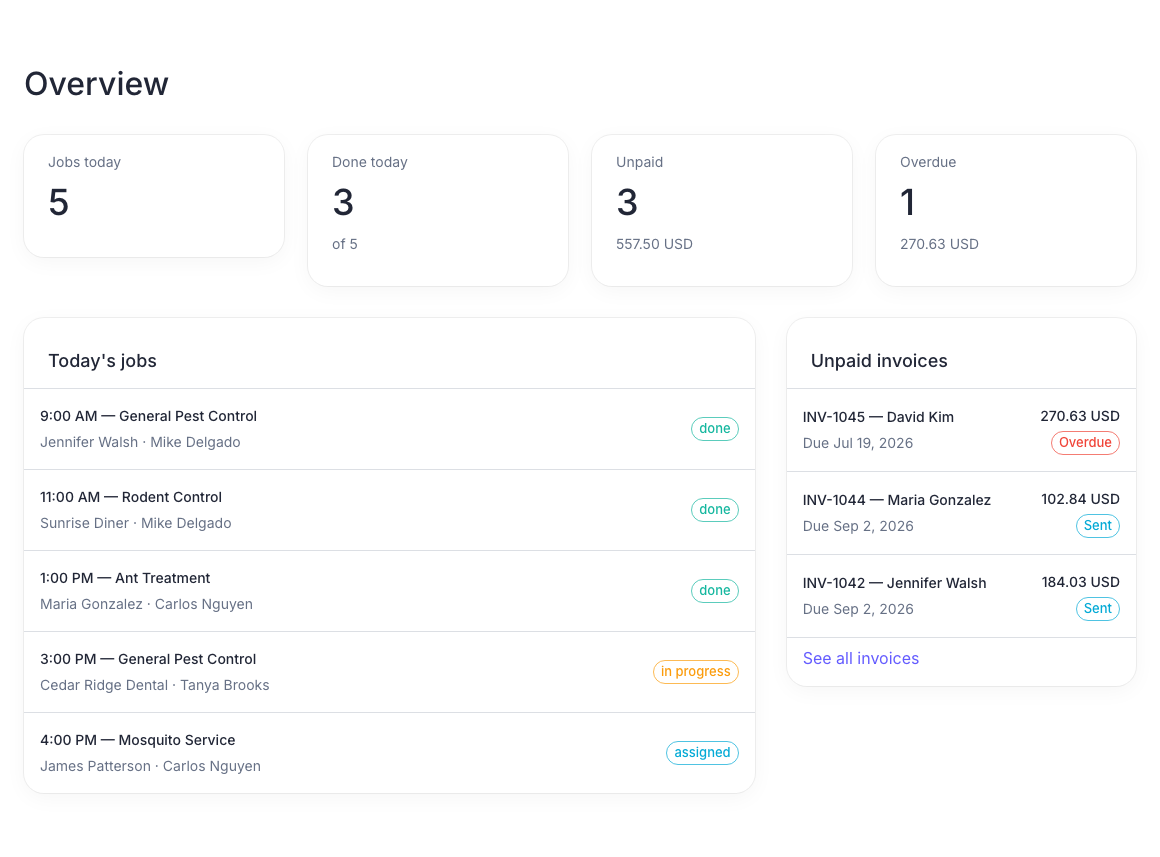
Know where you stand, every morning
Open PestPaid and see the day. How many jobs, how many are done, and how much money is still waiting. Late invoices come first, so no client is forgotten.
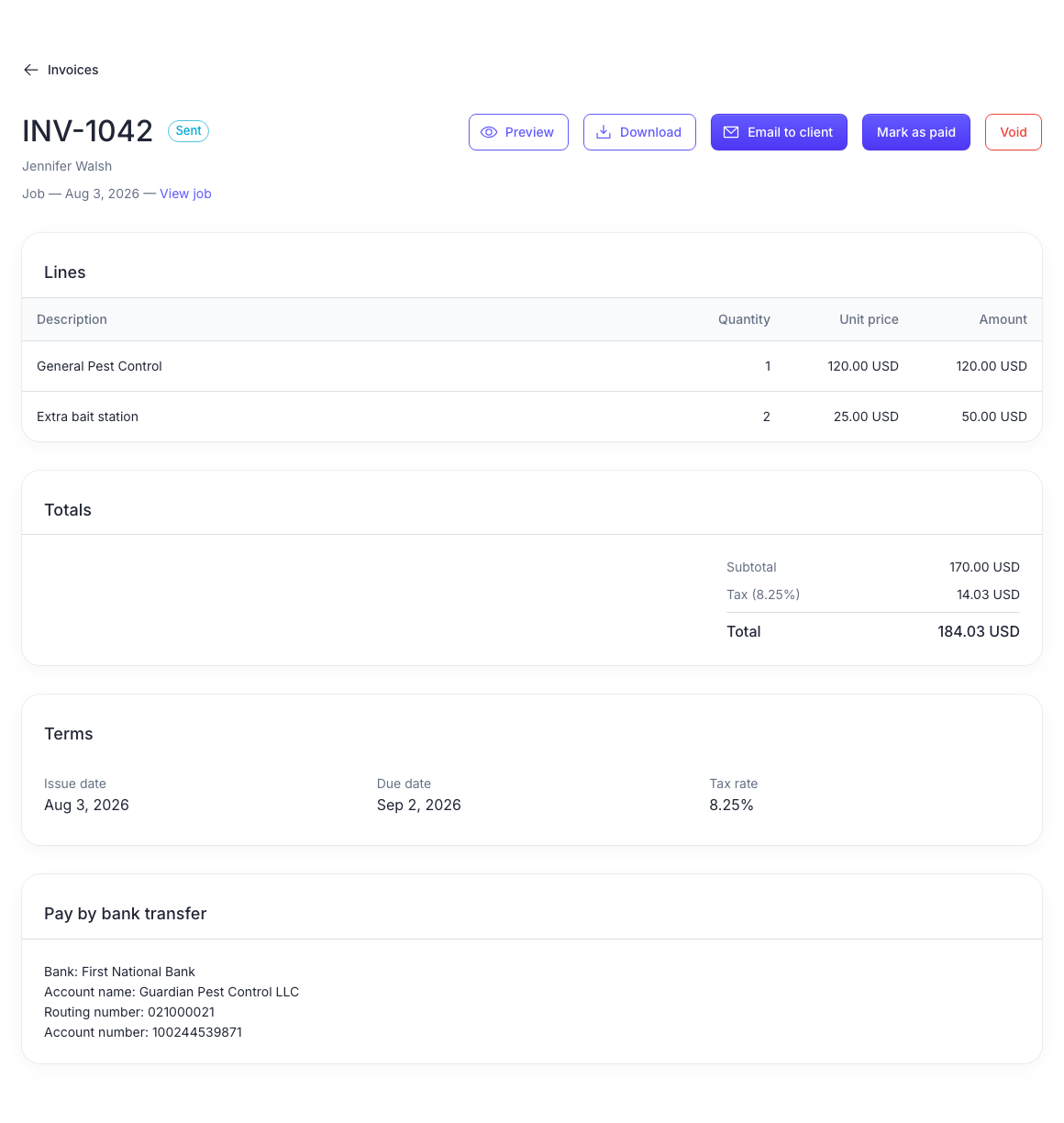
Send an invoice in one click
Turn a done job into a clean invoice. Email it to the client, or download the PDF. Your bank details sit right on it, so the client pays straight to your bank. No card fees.
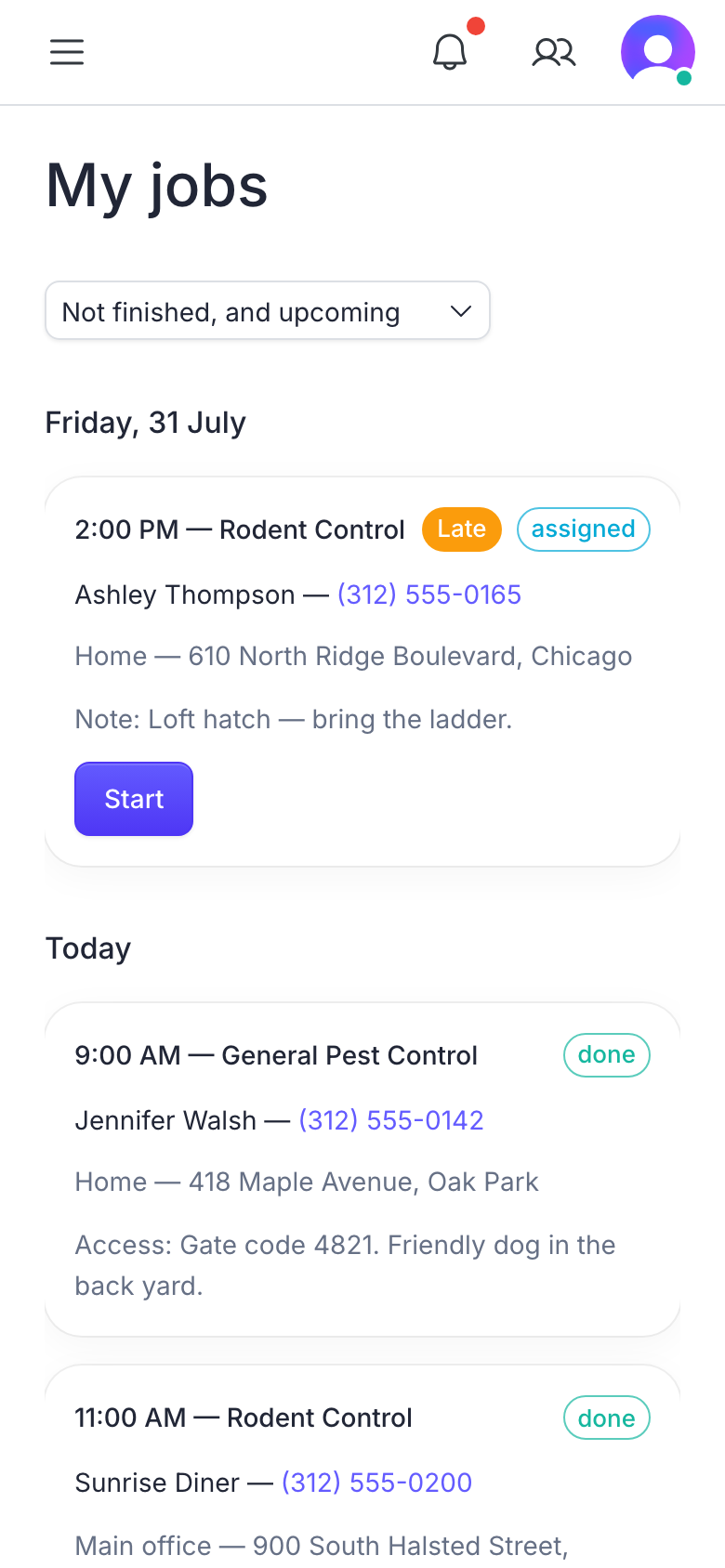
Made for the field
Your technician opens his phone and sees only his jobs: the address, the access notes, and the client's phone. He marks each one done.

Ready to get paid faster?
Set up your pest control business in PestPaid today. It is simple, and the first 14 days are free.